



Most people just tap their phone to pay for coffee and call it a day with NFC. I get it, contactless payments are the obvious use, and they work well. But your phone’s NFC chip can do a lot more than process transactions, and ignoring it feels like a waste of hardware you already have.
NFC tags cost next to nothing, and once you start programming them, you realize how many tedious phone interactions you can completely skip. Here are six ways I actually use mine.
Automate everyday tasks by tapping an NFC tag.
One tap replaces dozens of manual steps.
NFC tags are small, passive chips that store data and transmit it when the phone comes within a few centimeters. They don’t need batteries because they draw power from your phone’s NFC reader during a tap. A pack of rewritable NTAG215 stickers costs a few dollars, and you can program each one to trigger a specific action on your phone.
On Android, you can use a tag writing app. NFC tools With automation apps like Tasker, one of the most powerful automation tools on Android, or Samsung’s modes and routines to react to NFC tag scans. On iPhone, the Shortcuts app supports NFC natively as a trigger. You tap the tag, and your phone executes whatever you’ve assigned it to do — toggling Do Not Disturb, launching a playlist, setting a morning alarm, or opening a work app.
The real value is in the placement. Stick the tag on your nightstand to activate a bedtime routine, on your desk to silence notifications, or in your car mount to open Google Maps. These are actions you’d otherwise do manually every single day, and tapping a sticker is faster than unlocking your phone and navigating through menus.
Share your Wi-Fi password without saying it out loud.
Encode your credentials on an inexpensive sticker.

Every time someone comes, the same routine goes on. They ask for the WiFi password, I spell out a string of random letters, and they mistype it twice. It’s a minor annoyance, but it’s one you can eliminate with an NFC tag.
Like using a free app NFC tools (available on Android and iOS), you can encode your network’s SSID, encryption type, and password on the tag. When a guest taps their phone against it, a prompt appears asking them to automatically join the network.
I keep it stuck on a shelf near my router. You can even put one on your front door or embed it in a small frame — some Airbnb hosts already use NFC tags for guests.
The tag stores the password as plain text, so anyone who scans it can read the credentials. This is fine for a home network with trusted guests, but you wouldn’t want to use it for a business network with sensitive access.
Verify product authenticity before purchasing.
Your phone can spot fraud for you.
Counterfeit products are a real problem, especially in the footwear, electronics and luxury goods resale markets. A growing number of brands now embed NFC tags directly into their products or packaging as a countermeasure, and your phone can read them without installing anything extra.
When you tap your phone against an NFC-equipped product tag, it opens a verification page from the manufacturer that verifies whether the item is genuine. Nike has experimented with it in select footwear lines, and several luxury brands have adopted it for handbags and accessories. The technology behind it relies on unique, cryptographically signed chip identifiers that cannot be easily cloned. Unlike a QR code, which can be reproduced by anyone, an NFC authentication tag is attached to hardware that is difficult to duplicate. That said, NFC is not without its security risks, so it’s worth understanding those as well.
It’s not something you need to set up or organize. If a product has an embedded NFC tag, it will be automatically detected when your phone is turned off. This is a passive feature that most people don’t look for, especially when buying second hand.
Use your phone as a transit card in supported cities.
Google Wallet and Apple Wallet can replace your physical fare card.
If you’ve ever scrambled for a transit card while a line formed behind you, this is worth knowing. Many cities now let you tap your phone on fare readers instead of carrying a separate card, and it works via the same NFC chip you use for payments.
Both Google Wallet and Apple Wallet support virtual transit cards. In some systems, you can add a digital version of an existing card. Japan’s Suica and New York’s OMNY all work this way. Once loaded, your phone behaves exactly like a physical card at turnstiles and bus readers. You don’t even need to unlock the screen in most cases.
Even in cities without dedicated virtual cards, open-loop transit systems accept standard contactless payments. This means any NFC-enabled phone with an attached debit or credit card can be used to tap it.
The practical advantage here is stability. That means one less card in your wallet. Unlike a physical transit card, your phone notifies you when your balance is low and lets you reload without going to a kiosk. It’s a small convenience, but it adds up if you commute daily.
Quickly connect Bluetooth devices with a single tap.
Leave the Bluetooth settings menu and let NFC do the handshake.

Bluetooth pairing is one of those things that should be easy but often isn’t. You enable pairing mode on the device, open your phone’s Bluetooth settings, wait for it to scan, hope the correct name appears, and then tap to connect. It works, but it’s cumbersome, especially when you’re switching between multiple devices.
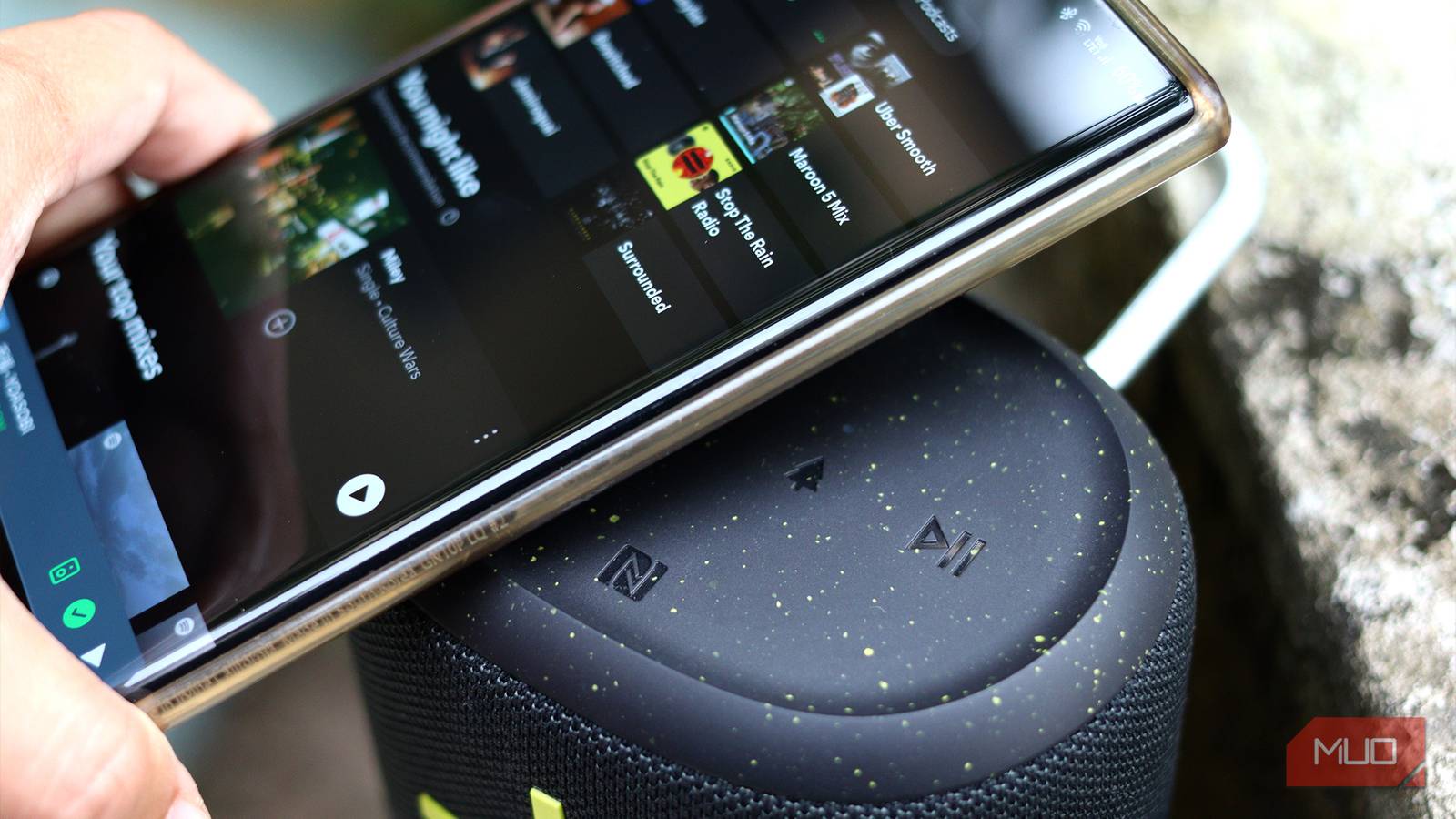
NFC pairing skips them all. Many Bluetooth speakers, headphones, and even some smart home devices have an NFC contact point built-in. Tap your phone against it, and the two devices pair instantly without having to navigate any menus. The NFC chip exchanges Bluetooth connection details in a fraction of a second. Sony, JBL, and Bose offer NFC pairing on many of their mid-range and premium audio products. You’ll usually find a small NFC logo hidden somewhere on the device—where you tap.
The catch is that this feature is limited to Android only. Apple doesn’t allow third-party NFC-initiated Bluetooth pairing on iPhones, so you’re stuck with a manual process there. If you’re on Android, however, it’s worth checking if your current audio gear already supports it. There is a good opportunity to do so.
Create a digital business card that anyone can tap.
Rewritable, paperless, and always up to date
Paper business cards are easy to lose and painful to update. If your phone number or job title changes, any card you’ve issued becomes obsolete. An NFC-enabled business card solves both problems. The recipient taps it with their phone, and your contact details instantly appear, ready to save.
You can go the DIY route to create your own NFC business card by encoding a vCard file onto a blank NFC card or sticker using an app like NFC Tools. A vCard stores your name, phone number, email, website, and social contacts in a standard format that both Android and iPhone can read natively. No app needed on the other person’s end.
If you want to buy something ready-made instead, products like Popl and TapTok sell pre-made NFC business cards that link to a customized profile page. These let you update your information at any time without reprogramming the card — the NFC chip just points to a URL.
Best of all, NFC business cards can be rewritten. If you change jobs or change your details, you reprogram the tag in seconds instead of ordering a new batch of printed cards. It is cheaper and less wasteful.
A few more ideas worth trying
NFC tags can also store medical information for emergencies, automate laundry tracking, or launch guest-specific app profiles on your tablet. When you tap the tag on your coffee table, they can trigger smart home scenes, such as dimming the lights and starting a movie.
The hardware is already in your pocket, and the tags cost almost nothing. Pick up a pack, experiment with some automation, and you’ll likely find uses specific to your routine that no one has written about yet. NFC is flexible enough to fit whatever you need it to do.